Document reviewed · 2026-10-31
Install Lookout and fix a missing overlay
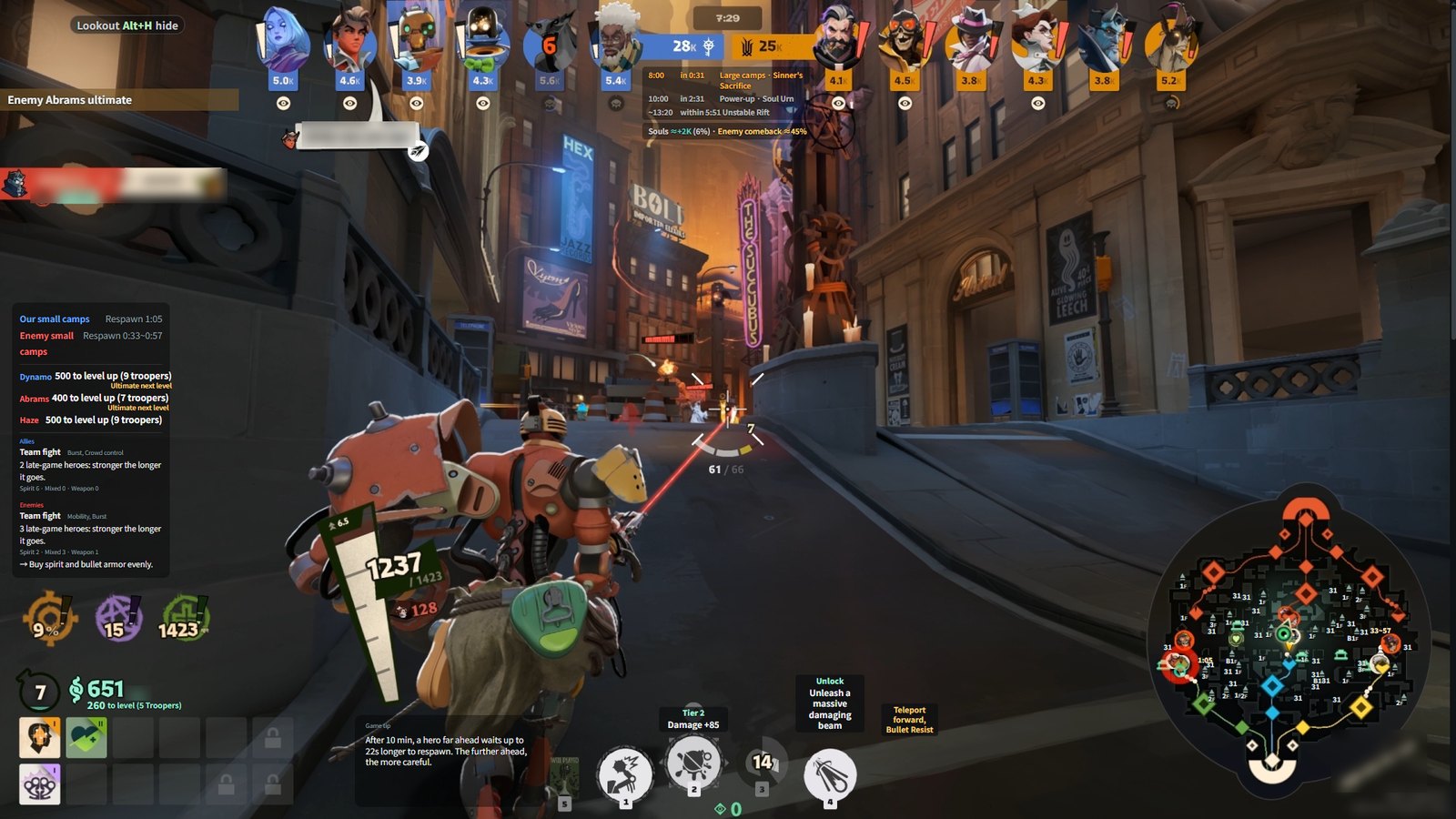
Install on Windows and run Deadlock windowed or borderless. If the overlay is missing, check the game connection, F10 visibility and enabled elements first.
Installation
- Download and run Lookout-Setup.exe from the official download link. Install or update after your match.
- Run Deadlock windowed or borderless and check the dashboard connection status.
- Enter a match and check the display. Defaults: F10 shows or hides; F11 opens minimap detail.
If nothing appears
- Make sure the game is in front and not minimized. The overlay steps aside when another app is active.
- Check whether F10 has hidden it and whether the relevant elements are enabled for this screen in Settings.
- Reconnect the Deadlock window from the dashboard if disconnected. If connected but empty, check that the relevant information is actually visible in the game.
Optional HUD connection
Screen recognition runs on this PC. The optional game HUD link installs one mod file and three SearchPaths lines in gameinfo.gi after a backup; it can be removed from the dashboard. It requires no password or Steam launch-option changes.
Related reading
Lookout product documentation. Game rules and figures refer to the stated source dates and can change with patches.